Yameveo Analytics for CIAM is an analytics layer that sits on top of your customer identity platform, starting with SAP Customer Data Cloud (SAP CDC), so you can see registrations, logins and consent events as they happen without digging through complex logs. It is built for identity, product and data teams who need immediate statistics on CIAM activity and GDPR-compliant retention they control, rather than raw log exports they have to parse themselves.
Status: this is a proof of concept, in active development. We are not selling a finished product here. We are validating it with early users. If the problem below sounds like yours, you can request a demo or early access and help shape what we build.
See it in action
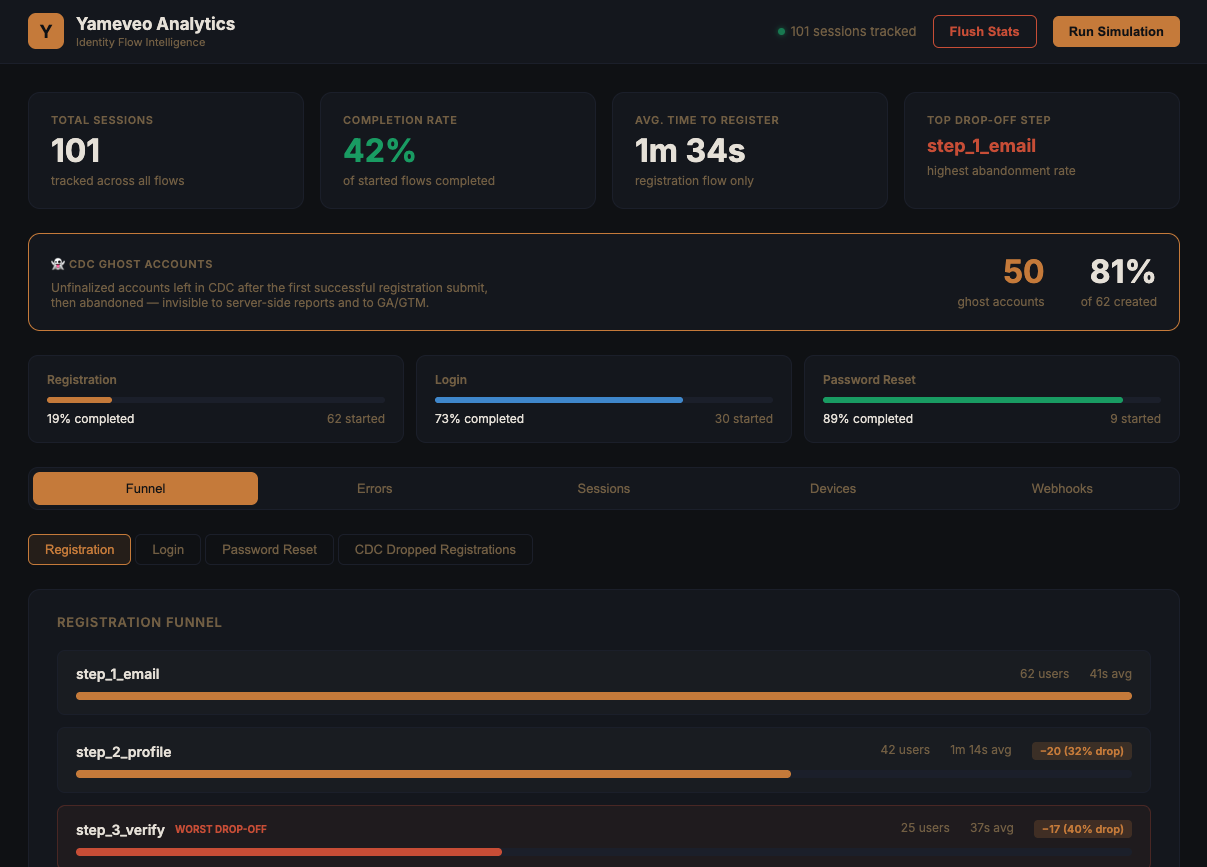
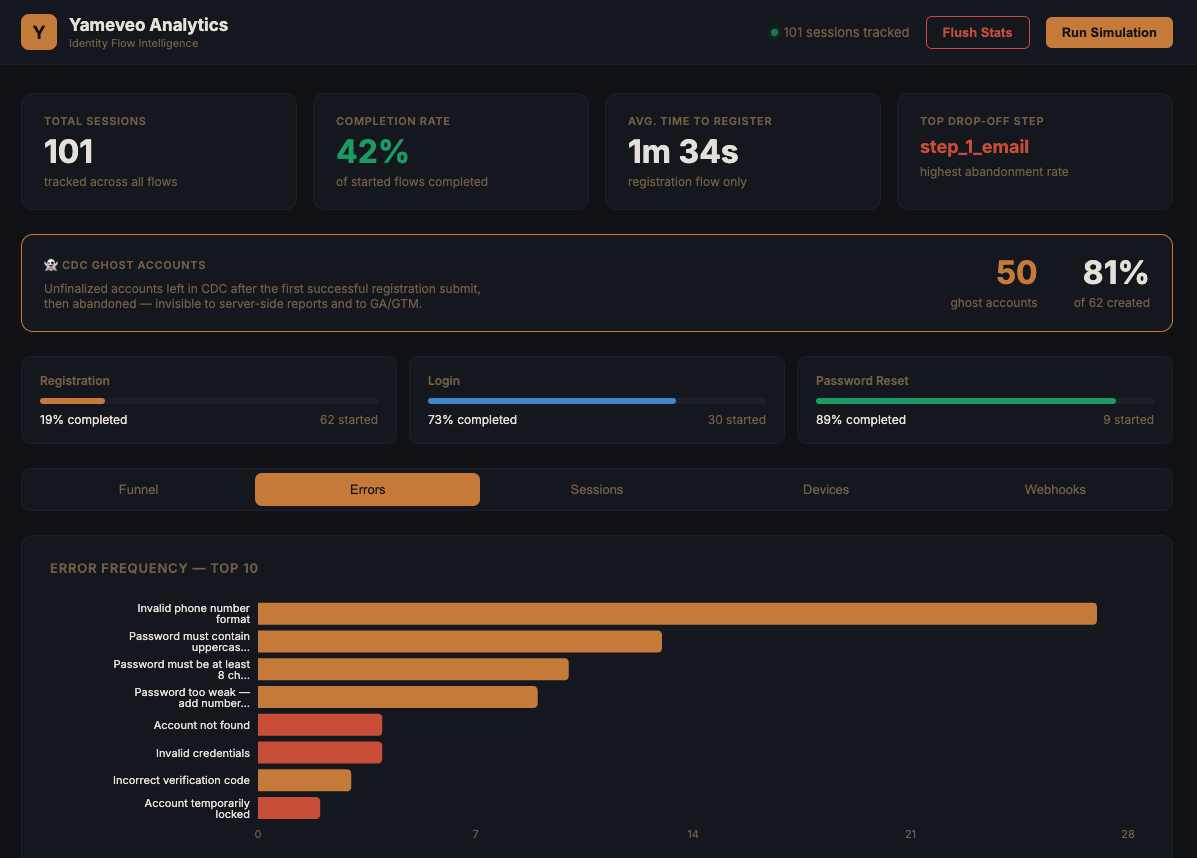
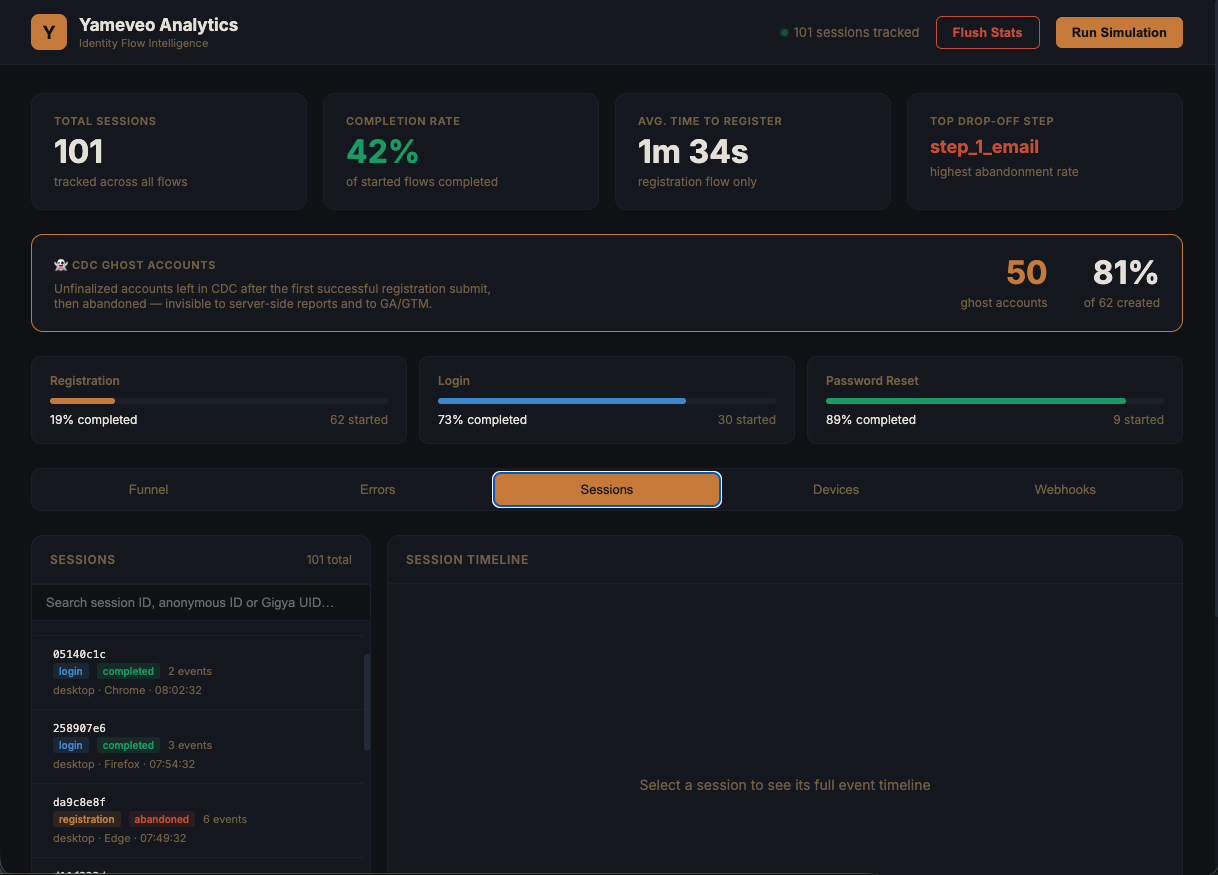
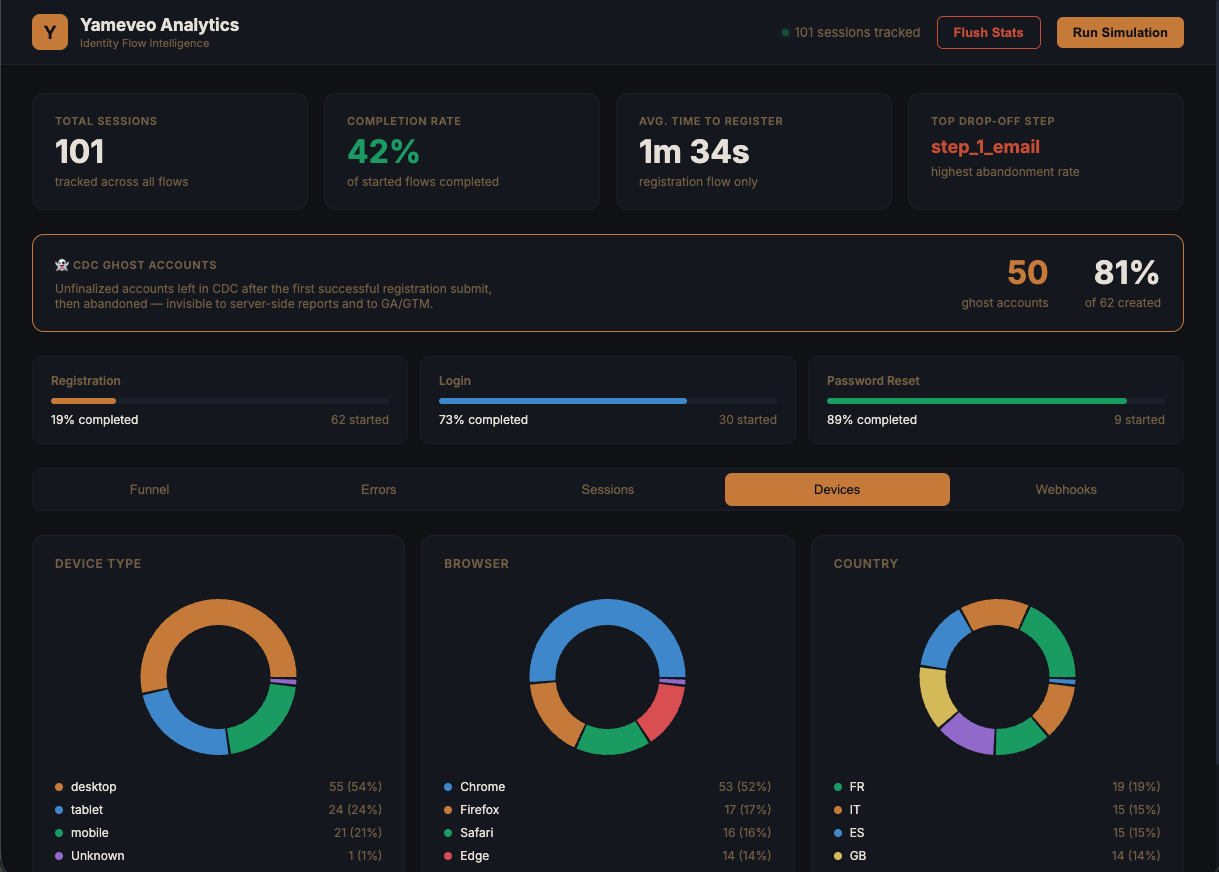
Screens from the current build. The figures shown are illustrative sample data, not customer results.
What is Yameveo Analytics for CIAM?
It is a lightweight analytics layer for CIAM platforms that turns raw identity events into immediate, readable statistics. Instead of exporting and parsing logs to answer a question like “how many registrations did we get this week?”, you get the tracking and the numbers directly. SAP Customer Data Cloud is the first platform we support, because that is where we have the deepest hands-on experience.
What analytics does SAP CDC give you out of the box, and where does it fall short?
SAP Customer Data Cloud does record identity events, but getting immediate statistics out of it typically means working through its native reporting and logs rather than reading a ready-made dashboard. That friction is what this POC removes. In practice, teams tell us that answering everyday questions about registrations, logins and consent means exporting or querying logs and stitching the numbers together by hand.
We are being deliberately careful here: we will not publish a feature-by-feature comparison of SAP CDC’s native reporting that we cannot stand behind.
What we are confident about is the gap our analytics layer targets: immediate statistics and event tracking, without the log-digging step in between.
How do you track registrations, logins and consent events without parsing logs?
You track them by letting the analytics layer capture CIAM events as they occur and surface them as statistics, instead of reading them back out of log files afterwards. The layer receives identity events (such as registrations, logins and consent changes) through its integration hooks, so the numbers are available directly rather than reconstructed from exports.
Because the events are captured at the source, you can see activity as it happens rather than at the end of a log-processing job. The goal of the POC is simple: the questions a product or identity team asks every day should have an answer that does not start with “first, pull the logs.”
Client-side vs server-side tracking: when to use which?
Use client-side tracking when you want front-end context from the identity journey, and server-side tracking when you want authoritative, tamper-resistant event data. In most cases you will want both, which is why Yameveo Analytics supports dual integration: you are not forced to choose.
- Client-side (JavaScript snippet): you drop a small snippet into your identity screens or app. This captures what happens in the browser during the identity journey and is quick to install.
- Server-side (webhooks): your CIAM platform sends events to the analytics layer over webhooks. This is the authoritative signal. It does not depend on the user’s browser, ad blockers or client-side conditions, so it is the right source for events that must be counted reliably, such as completed registrations and consent changes.
A common pattern is to trust the server-side webhook stream as the source of truth for the events that matter for compliance and reporting, and use the client-side snippet to add journey context on top. Both are part of the same layer, and installation is designed to be easy.
How is data retention handled under GDPR?
Data retention is GDPR-compliant, and the retention window is customizable by you, the customer, so you decide how long CIAM analytics data is kept before it is removed. That control matters for identity data, where “keep everything forever” is rarely a defensible position under the GDPR principle of storage limitation.
Because you set the retention window, you can align it with your own data-protection policy and your legal basis for processing, rather than accepting a fixed period chosen for you.
Who is this for, and how do I get access?
This is for teams running SAP Customer Data Cloud (with other CIAM platforms to follow) who need immediate visibility into identity activity and retention they can govern themselves. Since it is a proof of concept in active development, access is currently through a demo or early-access conversation rather than a purchase. That is intentional: early users help shape the product before it is generally available.
Request a demo or early access →
Frequently asked questions
Is Yameveo Analytics for CIAM available to buy today?
No. It is a proof of concept in active development, so access is currently through a demo or early-access programme rather than a purchase. Early users get to influence the product before it is generally available.
Which CIAM platform does it support first?
SAP Customer Data Cloud (SAP CDC) is the first platform we support, because it is where we have the most hands-on experience. It is designed as an analytics layer for CIAM platforms in general, with additional platforms to follow.
Do I have to choose between client-side and server-side tracking?
No. It offers dual integration: a client-side JavaScript snippet and server-side webhooks. You can use the server-side webhook stream as your authoritative event source and add the client-side snippet for front-end journey context, and installation is designed to be easy.
Can I control how long the analytics data is retained?
Yes. Retention is GDPR-compliant and the retention window is customizable by you, so you set how long CIAM analytics data is kept to match your own data-protection policy.